

How to Build a Graphic Design Portfolio Without Clients
 |
| Design Ideas, Sarrkified. |
Breaking into the graphic design industry can feel challenging, especially when you’re starting out with no paid projects or clients under your belt. But here's the secret: you don't need clients to build a standout design portfolio. What you need is creativity, commitment, and the right strategy. In this post, we’ll walk you through actionable steps to create a portfolio that showcases your talent, even if you’ve never worked with a client before.
Why You Need a Portfolio
A graphic design portfolio is your personal showroom. It reflects your style, skill level, versatility, and ability to communicate visually. Whether you’re applying for jobs, freelance gigs, or collaborations, your portfolio gives people a snapshot of your design identity. Having no client work is no excuse—what matters is how well you present what you can do.

Graphic Design Tools
Essential for designers aiming to enhance their creative work. Drawing Tablets: Wacom Intuos, XP-Pen Deco Series Stylus Pens: Apple Pencil, Adonit Note+ Color Calibration Tools: Datacolor SpyderX Pro, X-Rite i1Display Studio
👉 Buy Now on Amazon1. Create Passion Projects
One of the easiest and most powerful ways to build your portfolio without clients is by working on self-initiated projects, often called passion projects.
- Redesign an existing brand’s logo and social media kit
- Create mock advertising campaigns for fictional or real businesses
- Design a user interface for an app idea
- Develop your own personal brand visuals: logo, business card, media kit
These projects help you display your problem-solving abilities and creative thinking, which is what potential clients really care about.

Digital Marketing Books
Stay updated with the latest strategies and insights. SEO Mastery: "The Art of SEO" by Eric Enge Content Marketing: "Everybody Writes" by Ann Handley Social Media Strategies: "Jab, Jab, Jab, Right Hook" by Gary Vaynerchuk
👉 Buy Now on Amazon2. Use Free Tools to Create Stunning Designs
You don’t need expensive software to get started. Here are some free tools you can use to develop and showcase professional-grade work:
- Canva – Great for beginners with templates for logos, social media, presentations, and more. (Visit Canva)
- Photopea – A free Photoshop alternative right in your browser. (Visit Photopea)
- Figma – Perfect for UI/UX projects and team collaboration. (Visit Figma)
- Krita – A free tool for digital painting and illustration. (Visit Krita)

Ergonomic Office Equipment
Promote comfort and productivity for remote workers and designers. Adjustable Chairs: Herman Miller Aeron, Steelcase Series 1 Standing Desks: FlexiSpot Electric Standing Desk, VariDesk Pro Plus Monitor Stands: VIVO Dual Monitor Desk Mount, AmazonBasics Adjustable Stand
👉 Buy Now on Amazon3. Focus on Real-World Scenarios
Even if you’re not working with clients, simulate real-world design challenges to demonstrate your strategic thinking. For example:
- Create an event poster for a fictional concert
- Design a product packaging for an imaginary eco-friendly brand
- Recreate a restaurant’s menu with a modern design
This shows you understand context, branding, and target audience.

Content Creation Gear
Ideal for bloggers, vloggers, and digital marketers. DSLR Cameras: Canon EOS Rebel T7, Nikon D3500 Lighting Kits: Neewer Ring Light Kit, LimoStudio Softbox Lighting Microphones: Blue Yeti USB Mic, Rode NT-USB
👉 Buy Now on Amazon4. Organize Your Portfolio Thoughtfully
Each piece in your portfolio should include:
- Project Title – Keep it clean and descriptive
- Short Description – Explain your design goal, process, and tools used
- Visuals – Include mockups, before/after designs, and multiple angles
Use platforms like:
- Behance – Industry standard, perfect for visual storytelling
- Dribbble – Good for quick snapshots and UI design
- Blogger (like Sarrkify) – Offers creative control and SEO advantage
- Adobe Portfolio – Free with Adobe subscription

Online Learning Resources
Support continuous learning in design and marketing fields. E-Readers: Kindle Paperwhite, Kobo Clara HD Digital Notebooks: Rocketbook Smart Reusable Notebook, Moleskine Smart Writing Set Online Course Subscriptions: Skillshare, Coursera Plus
👉 Buy Now on Amazon5. Include Case Study-Style Breakdowns
For key projects, go deeper. A case study should include:
- The problem or challenge you addressed
- Your approach and design process
- Final outcome and reflection
This demonstrates critical thinking and a professional mindset.

Productivity Software and Tools
Enhance workflow efficiency for professionals. Project Management Tools: Trello, Asana Time-Tracking Software: Toggl Track, RescueTime Graphic Design Applications: Adobe Creative Cloud, Affinity Designer
👉 Buy Now on Amazon6. Add Personality and Niche
Your portfolio should reflect your design identity. Are you passionate about minimalist design? Bright color schemes? Editorial layout? Let that style come through. Also, consider picking a niche such as:
- Social media graphics
- UI/UX design
- Branding and identity
- Motion graphics

DSLR Cameras: Canon EOS Rebel T7, Nikon D3500
DSLR cameras deliver professional-grade image quality and creative control, making them ideal tools for content creators and digital marketers alike.
👉 Buy Now on Amazon7. Use Free Mockup Tools for Presentation
How you present your designs matters. Use free mockup tools to make your work look real and professional:
- Smartmockups – For product displays, screens, and prints (Visit Smartmockups)
- Mockup World – Free PSD mockups for everything from packaging to tech (Visit Mockup World)
- Shotsnapp – Quick, browser-based device mockups (Visit Shotsnapp)
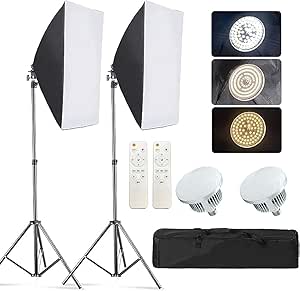
Studio Photography Light
Check each product page for other buying options. Price and other details may vary based on product size and colour
👉 Buy Now on Amazon8. Keep Improving and Updating
Don’t treat your portfolio as a one-time project. Update it every few months. As you grow, replace early work with better examples. This shows progression and commitment.

Graphics Tablet
10x6.25 Inch Drawing Pen Tablet 8192 Levels Pressure Battery-Free Pen with Tilt Function Android Supported and 8 Shortcut Keys
👉 Buy Now on Amazon9. Ask for Feedback
Join design communities on Reddit, Facebook groups, or platforms like Discord. Share your portfolio and ask for constructive criticism. You'll gain insights, inspiration, and maybe even your first client!

Multicolour Sticky Notes
Multipurpose Use: Self-stick notes aim to capture your thoughts.
👉 Buy Now on Amazon10. Promote Yourself Professionally
Once your portfolio is live, don’t let it sit in silence. Promote it on:
- Your Instagram, Pinterest, and LinkedIn
- Freelance platforms like Fiverr or Upwork
- Your personal or affiliate blog (like SarrkiVerse)
Attach a strong tagline, describe your services clearly, and link to your portfolio in bios and email signatures.

Microphones: Blue Yeti USB Mic
FIFINE AmpliGame A6T-USB Gaming Streaming Microphone
👉 Buy Now on AmazonFinal Thoughts
Designing without clients isn’t a limitation—it’s a creative opportunity. With the right approach, you can build a powerful portfolio that attracts opportunities, grows your confidence, and represents your unique style. Start with what you have, use free tools, and let your passion lead the way.
More beginner-friendly design content is always coming your way—stay tuned on Sarrkify.
Design ideas. Sarrkified.

